
The console menu
Each server shows the vBase node console on its screen: its address, its role, what it’s using, and whether each service is running (vorc8r, nginx, postgresql, the vnode agent, libvirt, ovs).
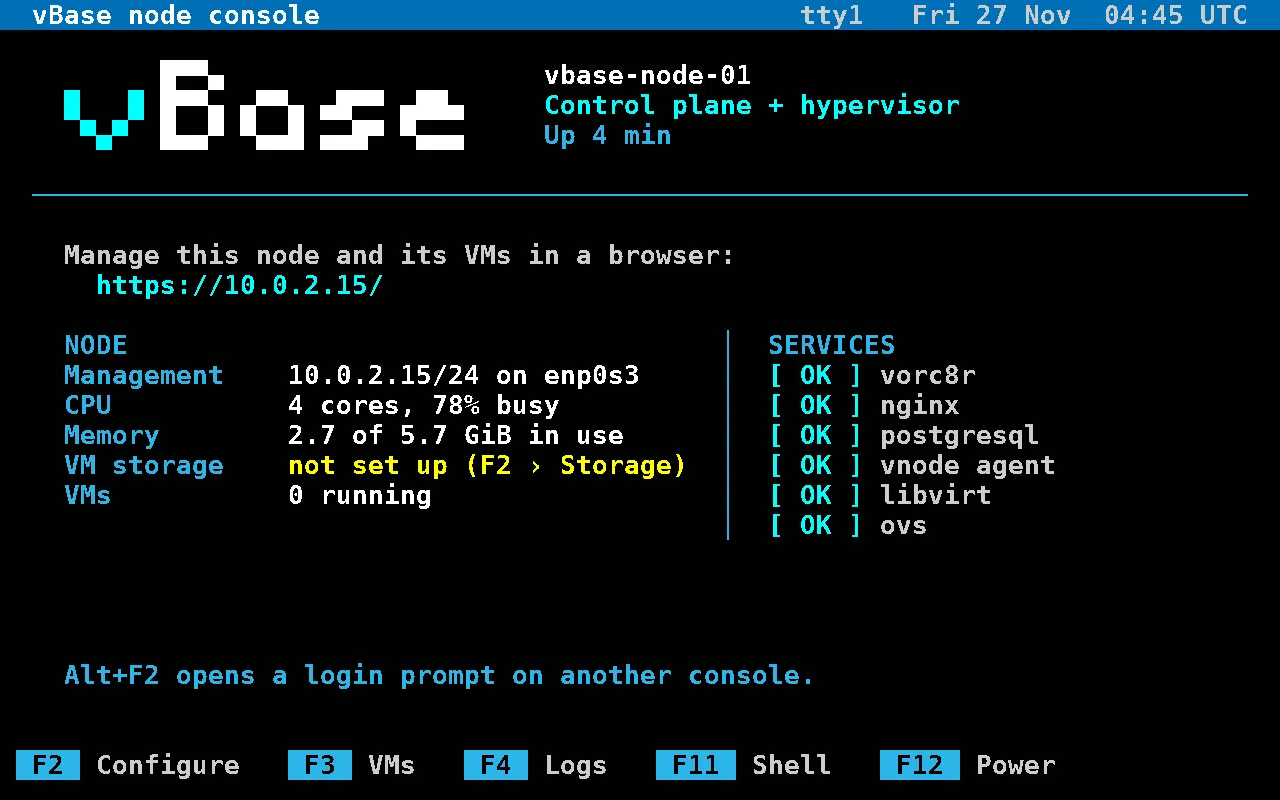
| Key | Opens |
|---|---|
| F2 | Configure: management network, storage (pool, Ceph, swap), date and time, restart management services, reset web admin password, join a control plane, reset the vbase password |
| F3 | Virtual machines on this server: start, stop and open their consoles |
| F4 | Logs of the control plane and the node agent |
| F11 | A shell (login as vbase) |
| F12 | Shut down or restart the server |
Alt+F2 opens a login prompt on another screen.
vBase by ONECOMET© 2026 ONECOMETDocs licensed CC BY 4.0Releases